 Get in Touch
Get a Quote
Get in Touch
Get a Quote

A vehicle walkaround checklist template works only when it matches the vehicle in front of the driver. A van, an HGV, a company car and a minibus share a core set of checks, but each needs its own extra items. This guide shows how to build one master template and adapt it for each vehicle type in 2026.
- Build one core vehicle walkaround checklist template, then add vehicle-specific sections for each type.
- Vans, HGVs, cars and minibuses each carry checks the others do not need.
- Digital checks give managers timestamped records and a clear defect trail.
- SmartCam 4G digital vehicle checks support, but do not replace, legal inspection and repair duties.
Why one generic checklist fails in 2026
A single sheet for every vehicle gets ticked without being read. Drivers of a 3.5 tonne van do not need an air-brake check. HGV drivers need far more than a tyre glance.
Tailored checklists are shorter for each driver and more useful for each manager. Short lists get completed properly. Long, irrelevant lists get ticked in seconds.
The legal duty does not change with the vehicle. Operators must keep vehicles roadworthy, and drivers must report defects. The DVSA tells HGV drivers to carry out a walkaround check of the vehicle before the journey and to report any defects in writing to the person in charge of sorting out vehicle defects. Check current GOV.UK and DVSA guidance for the exact duties that apply to your vehicles and operation.
The core checks every template needs
Start with a master list that applies to every vehicle in your fleet. Every vehicle-specific version builds on it.
- Lights and indicators: headlights, brake lights, indicators and hazards all work.
- Tyres and wheels: visible condition, damage, bulges and obvious pressure problems.
- Mirrors and glass: windscreen, wipers, washers and mirrors clean and undamaged.
- Fluids: oil, coolant and screenwash at suitable levels where the driver can check them.
- Bodywork: new damage, loose panels, number plates readable.
- Cab and controls: seat belts, horn, warning lights and dashboard faults.
- Documents and equipment: required paperwork, first aid kit and any mandatory safety equipment.
- Defect line: a clear space to record any fault and who was told.
Customising the template by vehicle type
Cars and pool cars
Company cars need the core list plus a few extras. Add a check for fuel or charge level, interior cleanliness and any damage left by the previous user. Shared vehicles benefit from a handover section, because the driver using it today did not use it yesterday.
For pool cars, see fleet management software for pool car schemes for how shared use is managed.
Vans
Vans add load-related checks. Include:
- Load secured and within the vehicle’s limit.
- Rear and side doors latch properly.
- Racking and internal fittings fixed.
- Tools and hazardous materials stored correctly.
- Reversing aids, where fitted, working.
Vans often go out with one driver and no one to guide a reverse. Rear camera coverage is worth a line on the checklist where fitted.
HGVs and rigid lorries
HGV checklists are the longest. Add brake and air system checks, coupling and trailer connections where relevant, load restraint, fifth wheel condition and spray suppression. Drivers also need to check mirrors and any camera or sensor equipment, because blind spots are a known risk.
If you run a 360° Camera System, add a check that each camera view is clear, the in-cab monitor displays properly and any audible alarms sound, but only for the equipment fitted to that vehicle. The 360 camera checks after HGV repairs guide covers what to look at after workshop visits.
For London operations, add the equipment required under the Direct Vision Standard and Progressive Safe System. Confirm the current requirements with Transport for London before building those lines into your template.
Minibuses and passenger vehicles
Passenger vehicles need checks the others do not. Add seat belts at every seat, emergency exits, interior lighting, wheelchair restraints or ramps where fitted, and first aid and fire safety equipment. Drivers should confirm passenger-facing safety features work before the first pick-up.
Specialist and plant vehicles
Tippers, refrigerated vans, tankers and other specialist vehicles need checks tied to their equipment. A tipper needs body and tipping mechanism checks. A refrigerated van needs a temperature unit check. Add only what the driver can safely and reasonably verify.
At a glance: what to add by vehicle type
| Vehicle type | Core checks | Typical additions |
|---|---|---|
| Company or pool car | Yes | Fuel or charge level, handover damage, cleanliness |
| Van | Yes | Load security, door latches, racking, reversing aids |
| HGV | Yes | Brakes and air system, couplings, load restraint, cameras |
| Minibus or coach | Yes | Seat belts, emergency exits, passenger equipment |
| Specialist vehicle | Yes | Equipment-specific checks such as tipping gear or temperature units |
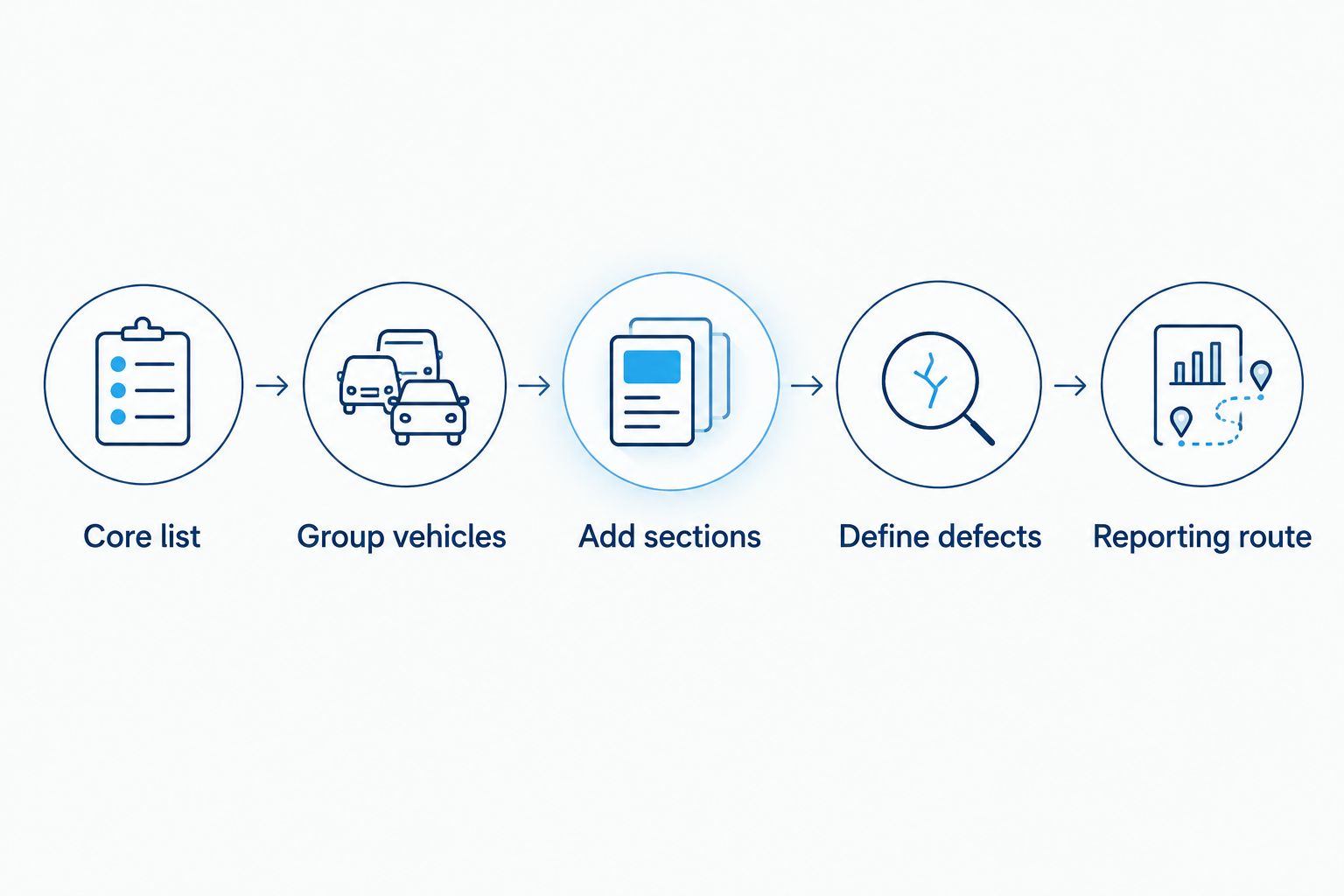
How to build the template in five steps
- Write the core list. Keep it to checks every driver can complete in a few minutes.
- Group vehicles by type. Do not create a new list for every registration.
- Add type-specific sections. Use the table above as a starting point.
- Define what counts as a defect. Say which faults mean the vehicle must not leave the yard.
- Set a reporting route. Tell drivers who to contact and how fast.
Review the template each year, and whenever you add a new vehicle type or fit new equipment.
Paper or digital?
Paper checklists are cheap to start but hard to audit. Sheets get lost, handwriting is unclear and managers see defects late. Digital checks give you timestamped records and a defect trail you can search.
SmartCam 4G includes digital vehicle checks and defect reporting through the Driver App. The checklist is fully customisable, so you can build a separate template for each vehicle type and run it daily, weekly or monthly. Drivers can attach photos from their smartphone, and they can open their last three submitted checklists if they are asked for them at the roadside. When a critical defect is reported, designated managers get an instant alert, and they can mark each defect as rectified in the online portal.
These checks support, but do not replace, your legal inspection, reporting, assessment and repair duties. Read more in how SmartCam digital vehicle checks manage defects and the digital vehicle checks defect reporting workflow.
FleetTracker does not provide digital vehicle checks. Its Asset Management bolt-on keeps track of maintenance schedules, MOT dates and other key fleet information, which complements a walkaround process but does not replace it.
Common mistakes to avoid
- Copying one list across the fleet. Irrelevant lines train drivers to tick without looking.
- No defect threshold. Drivers need to know when to stop and escalate.
- No feedback loop. If reported defects vanish, drivers stop reporting them.
- Never reviewing the template. New equipment means new checks.
- Treating a record as a repair. A logged defect still needs a fix.
See how to set up driver defect reporting for fleet compliance for a practical workflow.
FAQ
What should a vehicle walkaround checklist template include?
It should cover lights, tyres, mirrors, fluids, bodywork, cab controls, documents and a defect line. Add vehicle-specific checks on top of that core list.
Do HGVs need a different checklist from vans?
Yes. HGVs need extra checks such as brakes, air systems, couplings and load restraint. Vans need load, door and racking checks.
How often should drivers complete a walkaround check?
Check current DVSA and GOV.UK guidance for your vehicle class. Many operators require a check before each journey or shift.
Can digital checks replace paper checklists?
Digital checks can replace paper as the record, and give timestamped, searchable defect trails. They support your legal duties but do not replace them.
Does SmartCam 4G include digital vehicle checks?
Yes. SmartCam 4G includes a fully customisable vehicle checklist and defect reporting through the Driver App, so you can keep a separate template for each vehicle type. FleetTracker does not include digital vehicle checks.
How do I add camera checks to a template?
Add a line for each camera view, monitor and alarm fitted to that vehicle. Only include equipment the vehicle actually carries.
One last thing
The best template is the one drivers finish honestly. Cut any line a driver cannot check in a few minutes, and move it to a scheduled inspection instead.
If you want digital vehicle checks alongside tracking and video telematics, Request a Demo to see SmartCam 4G in use.
Explore the relevant Crystal Ball solution

SmartCam 4G Fleet Dash Cam
Integrated video telematics
On-demand footage, integrated tracking, incident evidence and digital vehicle checks where configured.
PRICE PROVIDED BY QUOTE
Related guides
- Fleet compliance audit guide
- Fleet maintenance scheduling software
- Preventative maintenance for a mixed fleet