 Get in Touch
Get a Quote
Get in Touch
Get a Quote

Sharing a vehicle's live location with a customer works when you decide what they see, when they see it and how drivers have been told, before the first customer gets access. Crystal Ball FleetTracker supports sharing real-time vehicle location with third parties, and the checks below cover the decisions that sit around that function in 2026.
- Crystal Ball FleetTracker supports sharing real-time vehicle location with third parties, so the main work is policy, not hardware.
- Decide the customer’s information need, the scope of what they see and the start and end of access.
- Tell drivers before rollout and check the ICO guidance on monitoring workers.
- Pilot with a small group of customers in 2026 before opening sharing to the whole customer list.
Why this matters
A customer who can see where a vehicle is has less reason to phone your depot to ask. That is the appeal. The risk is that location sharing goes live without a clear scope, and a customer sees more than they need to, or sees it for longer than the job requires.
The vehicle is also driven by a person. Location data tied to a named driver is personal data in practice, so rollout is a data protection decision as well as an operations one.
This guide covers the checks to complete before you switch sharing on. It is separate from what a live fleet map shows, which explains the internal view your own team uses. Here the audience is the customer, and the question is what you are willing to show them.
Sharing vehicle locations with customers: the checks before rollout
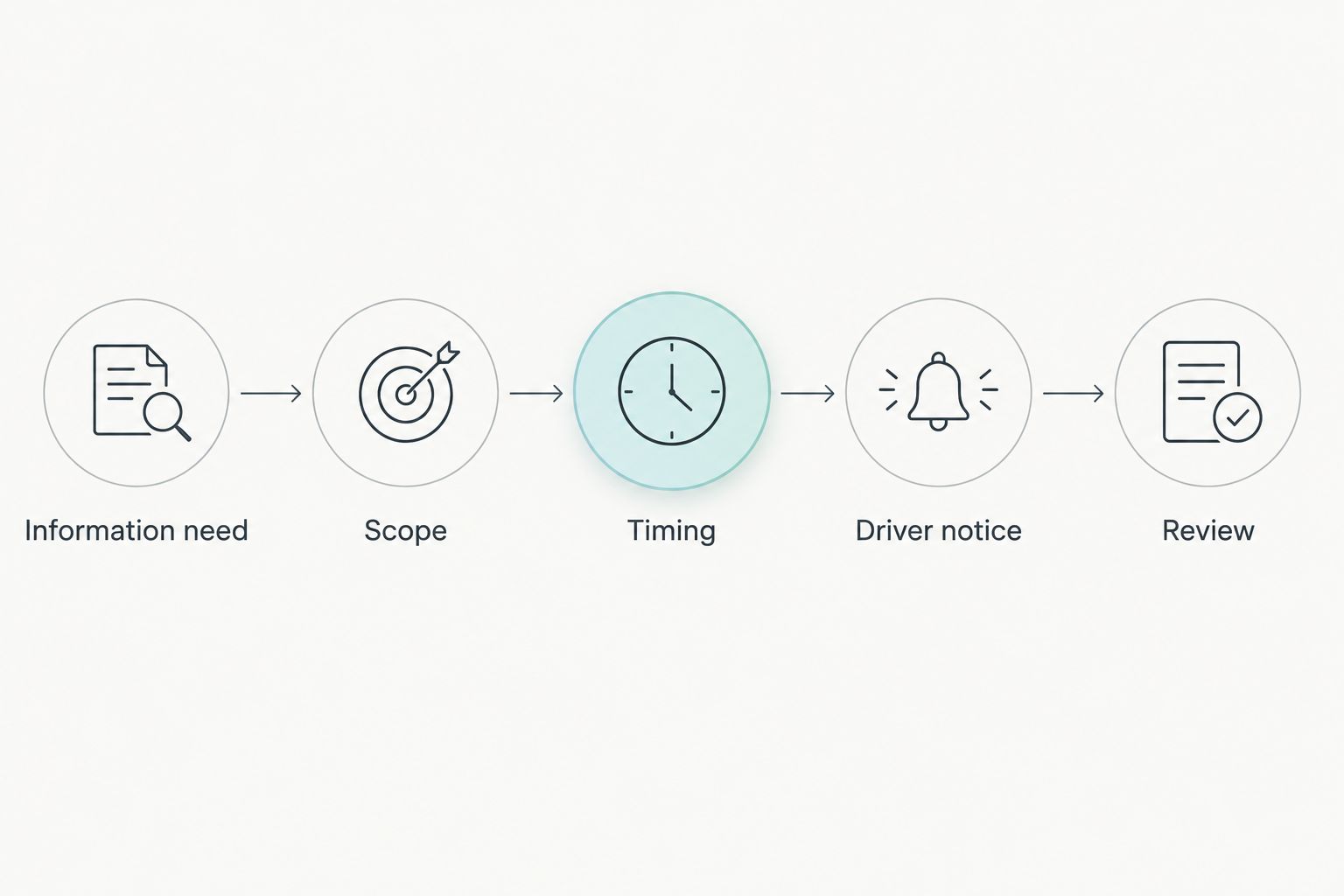
Work through eight checks in order. Each one has an owner inside your business and a decision to record.
| Check | What to confirm | Usual owner |
|---|---|---|
| 1. Information need | What the customer is trying to find out | Operations |
| 2. Scope | What the customer can and cannot see | Fleet manager |
| 3. Timing | When access starts and when it ends | Operations |
| 4. Driver notice | Drivers know what is shared and why | HR or fleet manager |
| 5. Privacy | Lawful basis, privacy notice and risk assessment | Data protection lead |
| 6. Private and out-of-hours use | Nothing is shared outside the job | Fleet manager |
| 7. Exceptions | Delays, breakdowns and wrong expectations | Customer service |
| 8. Pilot and review | A small trial, then a decision | Managing director or ops lead |
1. Define the customer's information need
Start with the question the customer keeps asking. It is usually one of three: when will you arrive, are you on your way, or where is my load.
A courier customer wants a delivery window. A haulier's customer wants to know whether a trailer is moving. A contractor's client wants to know whether the engineer has left the previous site. These are different needs, and they justify different levels of detail.
For a delivery operation, the van tracking system for courier and delivery fleets guide shows how location data fits the daily run. For hgv tracking, the need is often a single question about a load, so the scope can be narrower still.
Write the need down in one sentence. If you cannot, the customer does not need access yet.
2. Decide what the customer can see
Share the minimum that answers the need. Your internal portal holds more than a customer needs: journey history, speed, mileage, driver records and utilisation data.
Most customers need current location and nothing else. They do not need the route taken earlier in the day, the vehicle's speed or the name of the driver.
Before you promise anything, confirm with Crystal Ball exactly what the sharing function displays and how it is set up for your account. Do not tell customers they will see a feature until you have seen it from the customer's side.
3. Decide when access starts and stops
A customer should see a vehicle only while it is doing their job. Access that continues after delivery lets a customer watch a vehicle that has moved on to someone else's work.
Decide the start point, such as dispatch, and the end point, such as completion of the delivery or visit. Then confirm with Crystal Ball how access is started and ended in your set-up. Record the process so a dispatcher follows the same steps every time.
Geofences help on the internal side. FleetTracker supports geofences and alerts, so your team can see when a vehicle reaches a site and update the customer. Treat that as a prompt for staff, not a promise of an automatic customer message.
4. Tell drivers before rollout
Drivers should hear about customer sharing from you, not from a customer. Explain what is shared, with whom, during which hours and why.
A short briefing works better than a policy document nobody reads. Cover:
- The reason for sharing, framed around customer service.
- That sharing applies to job time only.
- Who to ask if a driver has a concern.
- How the information will and will not be used.
The guide on how to introduce GPS vehicle tracking to employees covers the wider conversation. Customer sharing is an extension of tracking drivers already know about, so it should not arrive as a surprise.
5. Check the privacy position
The ICO publishes guidance on monitoring workers. Read it before rollout. It sets out what employers need to consider when they monitor staff, including being clear and open about it.
For customer sharing, ask your data protection lead:
- Is the purpose clear, and is sharing a proportionate way to meet it?
- Does the privacy notice for drivers mention that location may be shared with customers?
- Is a data protection impact assessment worth completing for this change?
- How long is location data held, and is customer access separate from that retention?
UK law does not set one universal retention period for fleet data, so set your own and document the reason. The guide to vehicle telematics data retention for UK fleets helps you frame that decision.
This article is operational guidance, not legal advice. Your data protection lead or adviser makes the final call.
6. Keep private and out-of-hours use out of scope
If a driver takes a van home, or a vehicle is used outside job time, customers must not see it. Check how your vehicles are used before enabling sharing.
This is where start and stop rules matter most. A customer who can still see a vehicle on Saturday morning is seeing a driver's private time. Decide the rule, tell drivers the rule and test that it works.
7. Plan for exceptions
Location sharing shows where a vehicle is. It does not explain why it is late. Customers will see a vehicle stationary and assume the worst.
Agree a response for common situations:
- A breakdown or delay: who contacts the customer and when.
- A vehicle that stops for a legally required driver break.
- A last-minute vehicle swap.
- A customer who disputes what they saw.
Give customer service staff a short script. Location data can support the conversation, but a person still needs to explain it.
8. Pilot, then review
Start with a small group of customers and one vehicle type, for example a single van route. Run it for a defined period, then review what worked.
Ask three questions at the review. Did call volumes to the depot change? Did any customer see something unexpected? Did any driver raise a concern? Adjust scope and timing, then widen access.
A pilot also tells you how much work the process creates for dispatchers. If it adds friction, fix the process before you add more customers.
Why the right level of sharing varies
There is no single correct setting. These factors move the answer:
- Type of work: a scheduled delivery round suits sharing near the delivery time, while a long-distance load may only need occasional visibility.
- Customer sensitivity: some customers handle sensitive goods and want tighter controls on who sees what.
- Driver exposure: lone drivers on rural routes may be more concerned about their location being visible, so scope and timing matter even more.
- Contract terms: a customer contract may already promise tracking visibility, or may exclude it.
- Vehicle use: pool or take-home vehicles need clear boundaries between job time and private time.
- Team capacity: more visibility can mean more customer questions, so you need staff to answer them.
What does sharing location with a customer not include?
Sharing a vehicle's location is not the same as sharing footage, reports or driver records. Those sit in separate parts of the Crystal Ball ecosystem and are not part of this decision. SmartCam 4G footage, for instance, is recorded and accessed on demand through the customer portal, and it follows its own rules. Treat any request for video from a customer as a separate question.
Do you need driver consent to share vehicle location with customers?
Not necessarily, but you must tell drivers and have a lawful basis. Consent is often a weak basis in employment, because staff may not feel free to refuse. Read the ICO guidance linked above and record your reasoning.
Can customers see a vehicle's journey history?
Only if you decide to show it and your set-up supports it. For most customers, current location is enough. Confirm what your account displays before you describe it to anyone.
Which fleets benefit most from customer location sharing?
Fleets with scheduled arrivals benefit most: delivery rounds, service visits and contract haulage. The benefit comes from fewer status calls, though the size of the effect depends on your operation. Do not promise a customer or a board a specific reduction until your own pilot shows it.
What is the best fit for customer location sharing in 2026?
Crystal Ball FleetTracker suits fleets that want to share live vehicle location with customers while keeping decisions on scope, timing and driver notice with the fleet. It is a tracking product, so it does not replace the policy work above. The limit is that it shows location, not the reason for a delay.
FleetTracker is quote-led. Crystal Ball can demonstrate how location sharing looks from the customer's side, which is the quickest way to confirm what you would be offering.
FAQ
Can I share a vehicle’s live location with a customer?
Yes. Crystal Ball FleetTracker supports sharing real-time vehicle location with third parties. Decide the scope, timing and driver notice before you enable it.
Do I have to tell drivers if customers can see the vehicle?
Yes. Tell drivers what is shared, with whom and why before rollout. The ICO guidance on monitoring workers expects employers to be open about monitoring.
Should customers see the driver’s name or journey history?
Usually not. Share the minimum that answers the customer’s question, which is normally current location. Confirm what your account displays before promising anything.
How long should a customer have access to a vehicle’s location?
Only for the length of their job. Set a start and end point, such as dispatch and completion, and confirm with Crystal Ball how access is started and ended.
Is customer location sharing the same as sharing dash cam footage?
No. Location sharing and video footage are separate. SmartCam 4G footage is recorded and accessed on demand through the customer portal, and it needs its own policy.
Do I need a data protection impact assessment before sharing location in 2026?
Ask your data protection lead. Location sharing with third parties is a change to how worker data is used, so a risk assessment is worth considering. Follow the ICO guidance.
How should I trial customer location sharing?
Start with a few customers and one vehicle type. Run a fixed trial, review call volumes, customer feedback and driver concerns, then widen access.
One last thing
Before you open access to any customer in 2026, ask a colleague outside operations to view the vehicle exactly as the customer would, and write down what they think they can learn from it. Anything that surprises them will surprise the customer, and any detail they should not see is a scope decision you have not yet made.