 Get in Touch
Get a Quote
Get in Touch
Get a Quote

Dash cam footage after an accident is only useful if it is saved, kept unaltered and handed to the right people quickly. After a minor collision, make everyone safe first, then secure the recording before you leave the scene or end the shift. Fleets using SmartCam 4G on-demand footage can request the relevant clip through the customer portal rather than relying on someone to pull a memory card.
- Safety, details and police duties come before footage. Save the recording once the scene is under control.
- Never edit, trim or re-save the original file. Copy it and keep the untouched original.
- Tell your insurer and fleet manager promptly, and share footage only with those who need it.
- SmartCam 4G footage is accessed on demand through the portal, not streamed continuously.
- Dash cam footage after an accident supports a claim. It does not replace exchanging details.
Why this matters in 2026
A minor collision at a depot gate or on a roundabout often turns into a dispute about who moved first. Two drivers, two accounts, no witnesses. Footage settles that quickly, but only if it survives the first hour.
The usual failures are mundane. The recording loops over itself. The driver pulls the card and drops it in a cab door pocket. Someone trims the clip to make it shorter and breaks the evidence trail. In 2026 these are still the most common ways good evidence is lost.
This guide covers the steps in order, who should do what, and how to run it as a fleet process rather than leaving it to individual drivers.
The five steps at a glance
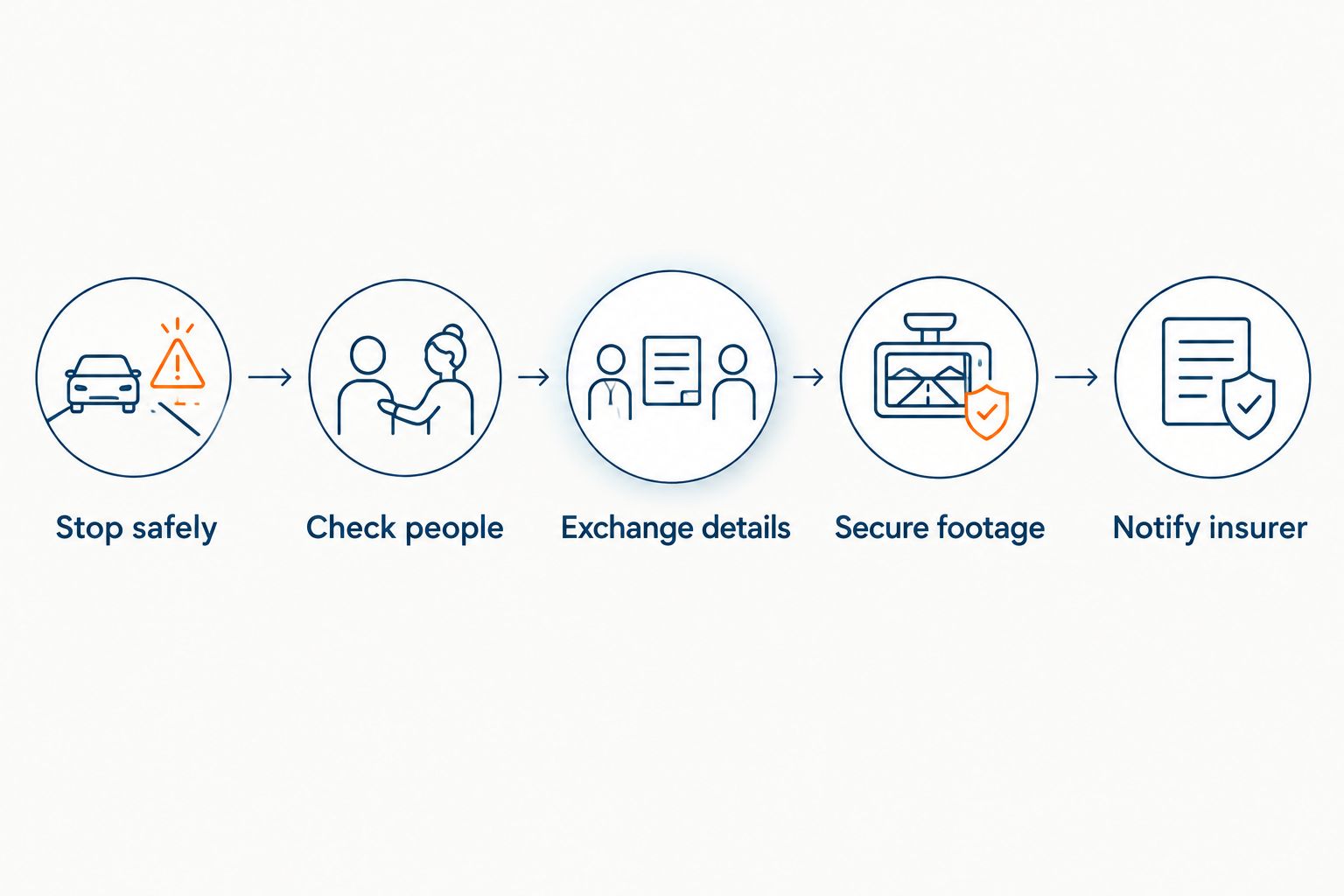
1. Stop safely
Stop as soon as it is safe. Switch on hazard lights and move the vehicle only if it is blocking traffic and the damage allows it. If you move it, photograph the original position first where you can do so safely.
Do not switch the vehicle off if that stops the dash cam recording. Check your device guidance first. Some units save a final clip on ignition off and some do not.
2. Check people
Check whether anyone is hurt. Call 999 if there is an injury, a safety risk or a dispute that is turning heated. Footage can wait a few minutes. People cannot.
3. Exchange details
Exchange names, addresses, vehicle registrations and insurer details with the other driver. If you do not give your name and address at the scene, section 170 of the Road Traffic Act 1988 requires you to report the accident at a police station or to a constable as soon as is reasonably practicable and in any case within twenty-four hours.
Dash cam footage does not replace this duty. It supports your account. Photograph the vehicles, the road layout, any road signs and the other driver’s number plate as well.
4. Secure footage
This is the step most drivers get wrong. Do it in this order:
- Note the time, date, location and registration of the vehicle involved.
- Use the device’s incident or lock function if it has one, so the clip is not overwritten.
- Do not delete, trim, rename or re-save the original file.
- Copy the file to a second location and keep the original untouched.
- Tell your fleet manager, who can request or protect the clip centrally.
A standalone camera that loops over old recordings can lose the clip if nobody acts. A connected system lets the fleet manager do it from the office.
5. Notify the insurer
Tell your insurer promptly, even if you do not plan to claim. Most fleet policies expect early notification, and late reporting can create problems that have nothing to do with fault. Read your policy wording for the exact requirement.
If your fleet uses a notification process built around recorded evidence, how SmartCam supports First Notification of Loss explains what the connected workflow looks like.
How footage reaches you: three setups compared
How quickly you can act depends on how the footage is stored and retrieved. This table compares the common setups by function, not by brand.
| Setup | How footage is accessed | Main risk after a collision | Best for |
|---|---|---|---|
| Standalone memory-card dash cam | Remove the card or connect to a laptop | Loop recording overwrites the clip if nobody acts | Single owner-driver |
| SmartCam 4G from Crystal Ball | Requested on demand through the customer portal | Footage is not streamed continuously, so the request must be made | Fleets that need centralised access |
| FleetTracker alone | No camera footage | Location and journey data only, no video | Fleets that need tracking and records, not video |
FleetTracker helps establish where a vehicle was and when, which can back up a timeline. It does not record video. If you need footage, you need a camera product.
What the footage can and cannot prove
Footage shows what happened in front of the lens. It does not show what happened out of frame, and it does not decide fault. Insurers and, if needed, courts weigh it alongside photographs, statements and damage.
Be realistic about its limits:
- A forward-facing camera may not show a rear impact or a side swipe.
- Poor light or a dirty windscreen can reduce clarity.
- Footage that has been edited or has gaps raises questions about the whole file.
Optional driver-facing, rear and side cameras are available on SmartCam 4G where confirmed for your configuration. Check the current product page before assuming coverage.
Sharing footage without creating a data problem
Footage that shows people or number plates is personal data. In 2026 the ICO’s guidance on CCTV and surveillance still applies to business use. Share the clip with your insurer, your own legal adviser and the police where relevant, and keep access restricted to those who need it.
If another party asks for footage showing them, the ICO says a subject access request must be answered without undue delay and at the latest within one month of receipt, with a further two months allowed only where the request is complex or the same person has made a number of requests. Do not post clips on social media. Doing so can create legal exposure for the driver and the company. For the personal liability angle, see whether a driver can be sued over dash cam footage in the UK.
How long to keep the footage
UK law does not set one universal retention period for fleet dash cam footage. Set your own policy, keep incident clips for as long as a claim or dispute remains open, and delete routine footage on a schedule you can justify. Dash cam footage retention for UK fleets covers how to write that policy.
A simple fleet procedure
Do not leave this to memory at the roadside. Put a one-page procedure in every cab and in the driver handbook.
- Driver: make safe, check people, exchange details, photograph the scene, tell the fleet manager.
- Fleet manager: protect or request the footage the same day, log the incident reference, notify the insurer.
- Office: keep the original clip untouched, store a working copy, record who has accessed it.
- Review: use the clip for driver coaching once the claim is settled, not before.
A procedure that takes two minutes to read gets followed. One that takes ten does not.
When a minor collision is not worth a claim
Sometimes the sensible call is to record, report internally and not claim. Small scrapes with an agreed cost and a cooperative other party can be settled directly. Even then, save the footage and tell your insurer, because a dispute can start weeks later. For disputed claims, using dash cam footage to dispute a false insurance claim walks through the evidence an insurer will want.
FAQ
What should I do with dash cam footage after an accident?
Make everyone safe first, then lock or protect the clip, copy it without editing the original and tell your fleet manager. Notify your insurer promptly.
Should I give the other driver my dash cam footage?
Not at the roadside. Give details as required, then share footage through your insurer or legal adviser. This keeps control of the original file.
Do I have to report a minor collision to the police?
Report it if someone is injured or if you did not exchange details at the scene. In that case, report as soon as reasonably practicable and within 24 hours.
Can I edit or trim the clip before sending it?
No. Keep the original untouched and send a copy. Edited or trimmed files can weaken the evidence.
Does SmartCam 4G stream video continuously?
No. SmartCam 4G footage is recorded and accessed on demand through the customer portal. A manager needs to request the clip they want.
Does FleetTracker record dash cam footage?
No. FleetTracker provides location, journey and fleet record data, not camera footage or video telematics.
How long should a fleet keep accident footage?
UK law sets no single period. Keep incident clips while a claim or dispute is open, and apply a written retention policy to routine footage.
One last thing
The cheapest improvement is not new equipment. It is a rule that the footage is protected before the driver leaves the scene. If your current setup cannot do that without someone physically removing a card, it is worth a conversation about connected options. You can request a demo from Crystal Ball to see how portal-based footage access works in practice.
Explore the relevant Crystal Ball solution

SmartCam 4G Fleet Dash Cam
Integrated video telematics
On-demand footage, integrated tracking, incident evidence and digital vehicle checks where configured.
PRICE PROVIDED BY QUOTE
Related guides
- How SmartCam supports First Notification of Loss
- Can a driver be sued over dash cam footage in the UK